Summary
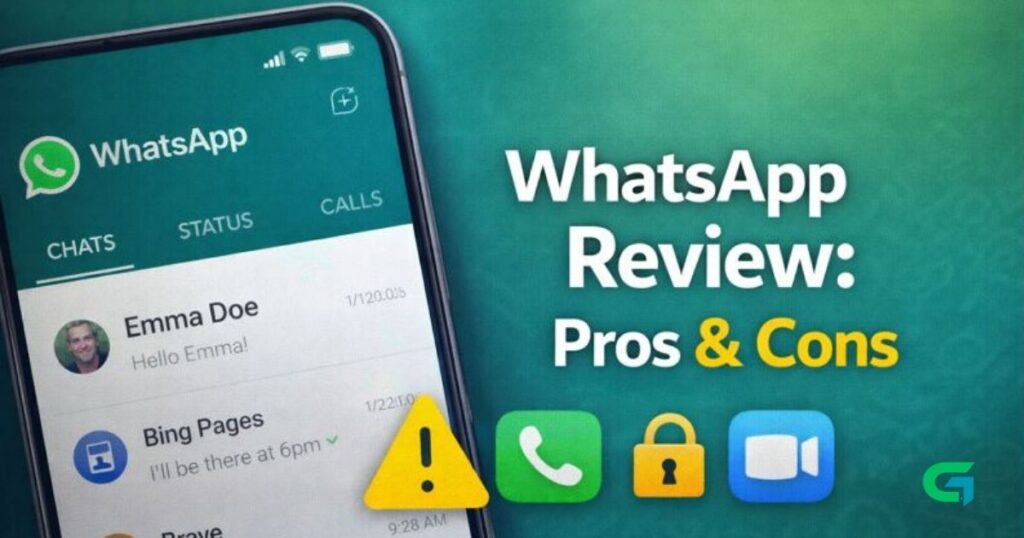
WhatsApp is one of the most widely used messaging apps worldwide. It’s known for simplicity, privacy features, and cross-platform support. In this review, we’ll take a deeper look at what WhatsApp offers, its strengths, and where it still needs improvement.
📌 WhatsApp Overview
- App Name: WhatsApp Messenger
- Developer: Meta Platforms
- Platforms: Android, iOS, Windows, macOS, Web
- Price: Free
- Users: Over 2 billion active users worldwide
⭐️ Key Features
✅ 1. Messaging and Chats
WhatsApp provides:
- One-on-one text chats
- Group chats with up to 1024 members
- Emojis, GIFs, and stickers
It’s fast, synchronized across devices, and easy to use.
📞 2. Voice & Video Calls
WhatsApp lets you make:
- Voice calls
- Video calls
- Group calls (up to 8 people)
These are all free over Wi-Fi or mobile data, with decent quality even on slower connections.
🔐 3. End-to-End Encryption
One of WhatsApp’s biggest strengths:
- All messages, calls, and media are encrypted
- Nobody (not even WhatsApp) can read your content
This gives users better privacy than many competitors.
📁 4. Media Sharing & File Transfer
Send media instantly:
- Photos and videos
- Documents (PDF, DOCX, ZIP, etc.)
- Voice messages
There’s also automatic compression to save data.
🌍 5. Status Updates
Similar to Stories:
- Post photos or short videos
- Lasts 24 hours
- Shared with selected contacts
This feature adds a social dimension inside WhatsApp.
💻 6. Multi-Device Support
Use WhatsApp on:
- Phone
- WhatsApp Web
- Desktop Apps
No need to keep your phone connected all the time.
Note: Limited features compared to independent desktop apps.
📊 Pros (What WhatsApp Does Well)
🔄 1. Easy to Use
The interface is straightforward, even for beginners.
📡 2. Wide User Base
With over 2 billion users, it’s almost guaranteed your contacts are already on WhatsApp.
🔒 3. Strong Security
End-to-end encryption by default is a major plus for privacy-focused users.
🆓 4. Completely Free
No ads (in chats), no subscription fees, and free calling worldwide.
💬 5. Reliable Cross-Platform Sync
Chats sync smoothly between mobile and desktop.
⚠️ Cons (Where WhatsApp Falls Short)
📱 1. Limited Customization
Compared to competitors:
- Themes are minimal
- Limited chat layout options
- No custom UI skins
📁 2. File Size Limits
WhatsApp restricts:
- Files larger than 2GB
- Media compression may reduce quality
This can be an issue for sharing large videos.
🧑💻 3. Limited Multi-Device Features
Although multi-device support exists:
- It still depends on your main phone for some functions
- Not fully independent
🗣️ 4. Privacy Concerns Beyond Encryption
Despite encryption:
- Meta collects metadata (like phone numbers, usage patterns)
- Some users may find this intrusive
🌐 5. No Built-In Cloud Backup Control
Backups to Google Drive or iCloud are:
- not encrypted end-to-end
- Optional but less secure by default
🧠 Verdict
WhatsApp remains one of the most reliable and widely used messaging apps in 2026.
Its strengths — simplicity, encryption, and global reach — make it hard to replace. However, limitations in customization, file handling, and cloud backup encryption may push power users toward alternatives.
💡 Best for: Everyday communication, privacy-conscious users, global connectivity.
⚠️ Not ideal for: Users requiring advanced customization or professional file sharing at high resolutions.

📸 WhatsApp Review Summary (Quick Table)
| Feature | Rating (out of 5) |
|---|---|
| Messaging | ⭐⭐⭐⭐⭐ |
| Voice & Video Calls | ⭐⭐⭐⭐ |
| Encryption & Privacy | ⭐⭐⭐⭐ |
| File Sharing | ⭐⭐⭐ |
| Multi-Device Support | ⭐⭐⭐ |
| Customization | ⭐⭐ |