Learn how to unblock a phone number on Android in easy steps to restore communication effectively and maintain your connections.
Understanding Phone Number Blocking and Its Importance
In our digital age, managing our communications is crucial. Whether it’s an unwanted spam caller or a persistent telemarketing number, blocking specific phone numbers can provide peace of mind. However, there are times when you may need to reverse that action perhaps you’ve unintentionally blocked a friend or need to reconnect for essential discussions. This guide will walk you through how to unblock a phone number on Android devices step by step.
How to Unblock a Phone Number on Android
To successfully unblock a phone number on your Android device, follow the steps outlined below. The process can vary slightly depending on the manufacturer of your Android phone, but the fundamental steps remain consistent across devices.
Requirements or Prerequisites
Before you start, ensure you have the following:
- An Android smartphone with the latest updates installed.
- Access to the phone application (the app you use for calls).
- Internet connectivity for troubleshooting if necessary.
Step-by-Step Instructions for Unblocking a Phone Number on Android
Open the Phone App
Begin by locating and opening the Phone application on your Android device. This is typically represented by a phone icon.Access Your Blocked Numbers List
- Tap on the three-dot menu icon located at the top right corner of the screen.
- Select “Settings” from the dropdown menu.
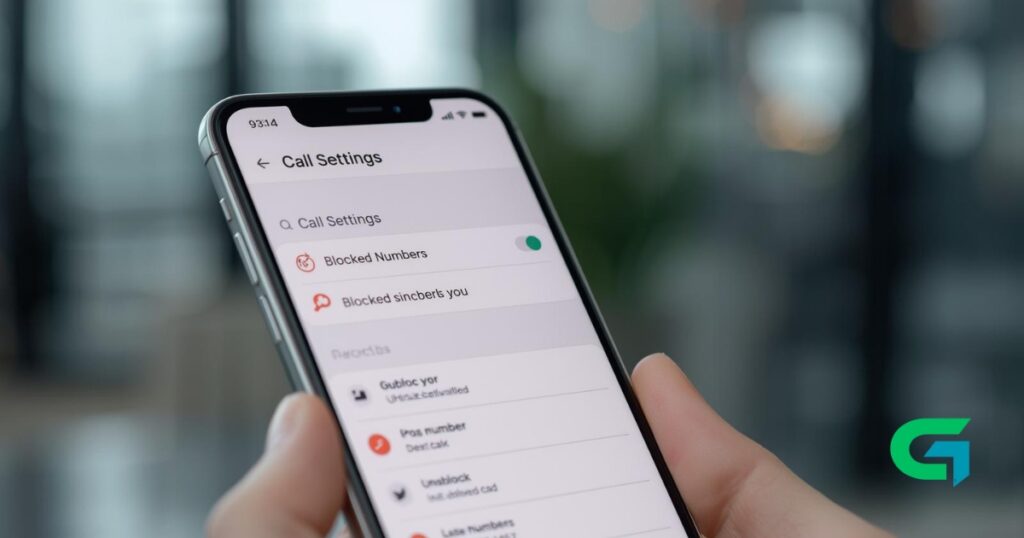
- Find the option labeled “Blocked numbers” or “Call blocking,” depending on your device.
Review Blocked Numbers
You will see a list of numbers that you have blocked. Scroll through this list to find the number you want to unblock.Unblock the Desired Number
- Once you locate the number, tap on the “X” icon or the “Unblock” option next to it. A confirmation pop-up may appear asking if you are sure you want to unblock this number.
- Confirm your action.
Confirm Changes
After the number has been unblocked, you will typically see it removed from the blocked numbers list. You can now receive calls and messages from this number again.
How to Unblock a Phone Number on Android: Common Problems and Fixes
When trying to unblock a number, users may encounter a few common issues. Here are solutions to these problems:
The Number Doesn’t Appear on the Block List
If you can’t find the number in the blocked list, ensure you are checking the right section. Double-check your call settings as some Android versions have different menus for blocking.Unable to Unblock the Number
Restart your phone and attempt to unblock the number again. If problems persist, ensure your phone’s software is updated to address potential bugs.Continual Block Notifications
If you’re still receiving notifications about blocked calls:- Go back to the settings and confirm the number is no longer in the blocked list.
- If it continues, consider resetting the network settings from the system settings.
Tips, Best Practices, and Warnings
Regularly Review Your Block List
Periodically check the blocked numbers list to ensure it is up-to-date and relevant.Identify Unwanted Callers Before Blocking
Before blocking a number, verify that it is indeed unwanted. You can do this by searching for the number online or using call identification apps.Backup Important Contacts
Always keep a backup of important contacts so that you don’t accidentally block someone you need to stay connected with.Use Apps for Enhanced Features
Consider using third-party apps designed for advanced call management, which may provide more options for blocking and unblocking numbers.
Read also : How to Fix Android Keyboard Not Showing Issue
By following these straightforward steps, you can easily learn how to unblock a phone number on Android, restoring vital connections at your discretion. Keeping your blocked numbers updated ensures that your communication remains efficient and free from unwanted disturbances. Always remember to regularly check your settings and maintain your communication preferences to suit your needs.