Stop adjusting volume manually. Discover simple ways to schedule Android volume changes for calls, notifications, and media at specific times.
How to Set Android’s Volume Level to Change on a Schedule
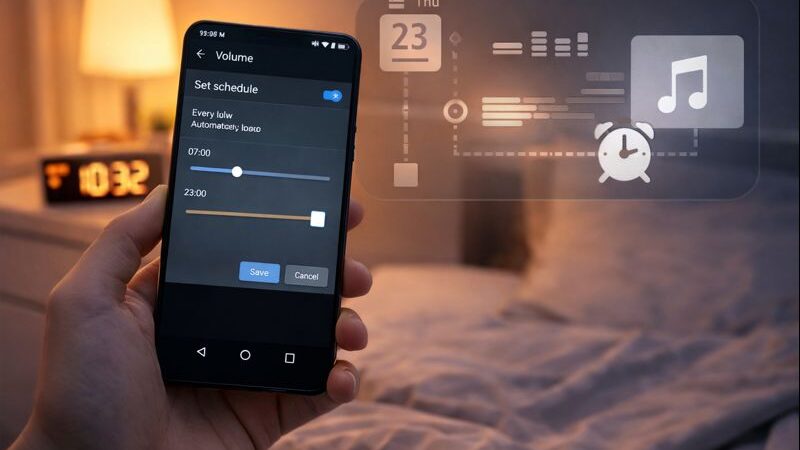
Learning how to set Android’s volume level to change on a schedule can save you from missed calls, loud notifications at night, or constantly adjusting sound settings. While some Android phones offer limited sound automation through Do Not Disturb mode, many devices don’t provide full volume scheduling.
Fortunately, third-party apps can automatically adjust ringtone, notification, and media volume based on time, day, or custom rules.
Why Schedule Volume Changes on Android?
Manually adjusting volume every day can be inconvenient. Scheduled volume control is especially useful if you:
- Want silent notifications during sleep hours
- Need louder ringtones during work hours
- Switch between meetings, commuting, and home routines
- Use your phone differently on weekdays and weekends
With automation, your phone adapts without manual input.
Set Android Volume on a Schedule Using Volume Scheduler
Volume Scheduler is a popular and lightweight app designed specifically for automated volume control.
How to use Volume Scheduler:
- Install Volume Scheduler from the Play Store
- Open the app and enable the main toggle
- Tap the plus (+) button to create a new profile
- Set the desired volume levels
- Choose start time, end time, dates, and repeat options
- Save the profile
Once active, the app automatically adjusts volume according to your schedule.
Schedule Volume Levels with Sound Profile
Sound Profile offers more advanced customization beyond basic volume control.
Steps to use Sound Profile:
- Install Sound Profile and open the app
- Accept the terms and grant required permissions
- Access the main dashboard
- Open profile settings and edit or create a new profile
- Customize ringtone, notification, and media volumes
- Optionally enable Do Not Disturb mode
- Whitelist important contacts using starred contacts
- Adjust additional options like vibration, Wi-Fi, Bluetooth, and more
This app is ideal for users who want deep control over sound behavior.
Choosing the Right App for You
If you want something simple and reliable, Volume Scheduler is a great choice. For advanced users who want full automation across sound and connectivity settings, Sound Profile offers more flexibility.
Both apps work in the background and help maintain consistent volume behavior without constant adjustments.
Read also : How to check if Your Android is 32-Bit or 64-Bit
Knowing how to set Android’s volume level to change on a schedule gives you better control over your phone’s sound behavior. With the help of automation apps, you can match volume settings to your daily routine effortlessly. Whether you prefer simplicity or advanced customization, Android offers effective solutions to keep your device sounding just right.
FAQ
Can Android change volume automatically on a schedule?
Yes, using third-party apps like Volume Scheduler or Sound Profile.
Does Android have built-in volume scheduling?
Some devices offer limited control through Do Not Disturb, but full scheduling usually requires apps.
Which app is better for volume scheduling?
Volume Scheduler is simpler, while Sound Profile offers advanced customization.
Can I schedule silent mode at night?
Yes, both apps allow you to lower or mute volume during specific times.
Do these apps affect battery life?
They run efficiently in the background and have minimal battery impact.
Can I schedule volume changes for specific days?
Yes, you can set schedules for weekdays, weekends, or custom dates.
Are these apps free to use?
Both apps offer free versions with optional premium features.