Discover simple steps to fake your GPS location on Android devices for enhanced privacy and access to geo-restricted content.
In our increasingly digital world, privacy and security are paramount, especially when it comes to location tracking. Many users seek ways to fake their GPS location on Android devices for various reasons, such as avoiding unwanted tracking or accessing geo-restricted services. This article will guide you on how to effectively fake your GPS location while ensuring you maintain the functionality of your device.
Understanding the Need to Fake Your GPS Location
Faking your GPS location can serve various purposes. Whether you’re experimenting with app development, testing, or simply wish to maintain your privacy, altering your location settings can be beneficial. This practice allows you to:
- Bypass location-based restrictions
- Access region-specific content
- Maintain your privacy from apps and services
Required Tools for Faking GPS Location
To successfully fake your GPS location, you’ll need some specific tools. Below are essential components for achieving this.
1. Enable Developer Options
Before using any application for location spoofing, you must first enable Developer Options on your Android device. This can be accomplished by:
- Accessing Settings
- Scrolling to About Phone
- Tapping Build number seven times until a notification confirms that Developer Options are active
2. Use a GPS Spoofing App
Once Developer Options are activated, you can utilize various third-party applications to change your GPS location. Some popular applications include:
- Fake GPS Location
- GPS Joystick
- Mock Locations (for advanced users)
To install a GPS spoofing app:
- Visit the Google Play Store
- Search for one of the mentioned apps
- Download and install your preferred choice
3. Configure the Mock Location App
After installing, configure the app to ensure it works smoothly with your phone’s settings.
- Go to Developer Options
- Locate Select mock location app
- Choose the app you installed from the list
How to Use Fake GPS Apps
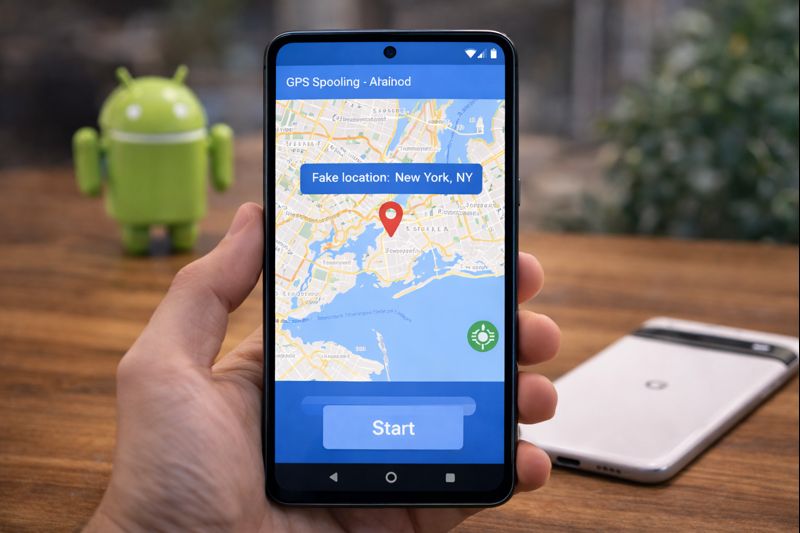
Using a GPS spoofing app is straightforward. These steps will guide you through the process:
- Open the selected GPS spoofing app.
- Set your desired location by using the map interface.
- Confirm the location setting and activate the location.
After completing these steps, your device will display the chosen GPS location to any app requesting this data.
Tips for Optimal Use of GPS Spoofing
To maximize the effectiveness of your fake GPS, consider the following tips:
- Ensure accurate settings within the spoofing app.
- Avoid using location-based services that can identify discrepancies.
- Regularly check for app updates to ensure functionality and security.
Read also : How to Check Your Phone’s Charging Speed Easily
Conclusion
In conclusion, faking your GPS location on Android can vastly enhance your privacy and provide access to location-sensitive content. By following the outlined steps and utilizing the right tools, you can effectively alter your GPS settings. Whether for privacy reasons or simply to access geo-restricted services, being aware of how to fake your location empowers you as a user. Start taking control of your digital footprint today!