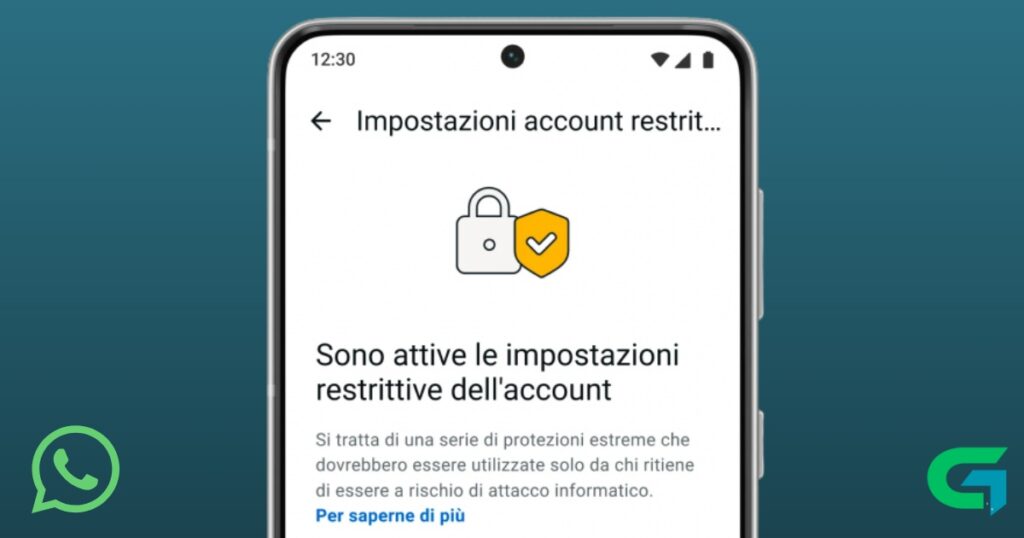
WhatsApp Introduces Maximum Protection for Enhanced Privacy
WhatsApp Maximum Protection is a new security feature designed for users who need stronger control over their privacy. As concerns about digital safety continue to grow, private conversations are increasingly exposed to risks such as spyware, malicious files, and unauthorized access.
To address these threats, WhatsApp has introduced a new protection mode aimed especially at users who handle sensitive information, including journalists, activists, and public figures but it can benefit anyone who wants tighter account security.
What Is WhatsApp Maximum Protection?
The new feature is officially known as Strict Account Settings and represents the most restrictive security configuration WhatsApp has offered so far. When enabled, it automatically applies the safest possible account settings, reducing the risk of accidental changes that could weaken protection.
Instead of relying on users to manually configure multiple privacy options, WhatsApp Maximum Protection centralizes them into a single toggle.
How Maximum Protection Improves Account Security
Once activated, WhatsApp Maximum Protection enforces stricter rules across several areas of the app. One of its most important functions is limiting interactions with unknown contacts.
Key protections include:
- Blocking media and attachments from numbers not saved in your contacts
- Reducing the risk of malware and spyware delivered through files
- Preventing unintended exposure to harmful or suspicious content
These restrictions are designed to minimize attack vectors commonly used to compromise messaging accounts.
How to Enable WhatsApp Maximum Protection
WhatsApp is rolling out this feature gradually over the coming weeks. Once available on your device, it can be activated through the app’s privacy settings.
Steps to enable Maximum Protection:
- Open WhatsApp
- Go to Settings
- Tap Privacy
- Select Advanced
- Enable Strict Account Settings
After activation, the most restrictive privacy options are applied automatically.
Stronger Protection at the System Level
Alongside Maximum Protection, WhatsApp has strengthened its internal security architecture by using safer system-level technologies to handle shared content. This helps protect photos, videos, and messages from advanced threats such as spyware and unauthorized exploitation.
These behind-the-scenes improvements add an extra layer of defense beyond visible privacy settings.
Who Should Use Maximum Protection?
While WhatsApp Maximum Protection is especially useful for people dealing with sensitive or high-risk communications, it’s also valuable for everyday users who want peace of mind.
This feature is ideal if you:
- Regularly communicate confidential information
- Want to minimize interaction with unknown numbers
- Prefer a “set it and forget it” security approach
Read also : Nothing Phone (4a) Pro Leaks Reveal Battery and Durability Boosts
WhatsApp Maximum Protection represents a major step forward in account security and privacy control. By introducing Strict Account Settings, WhatsApp gives users an easy way to apply the strongest safeguards available, reducing exposure to malicious content and digital threats. As online risks continue to evolve, features like this help ensure private conversations stay private.