Summary
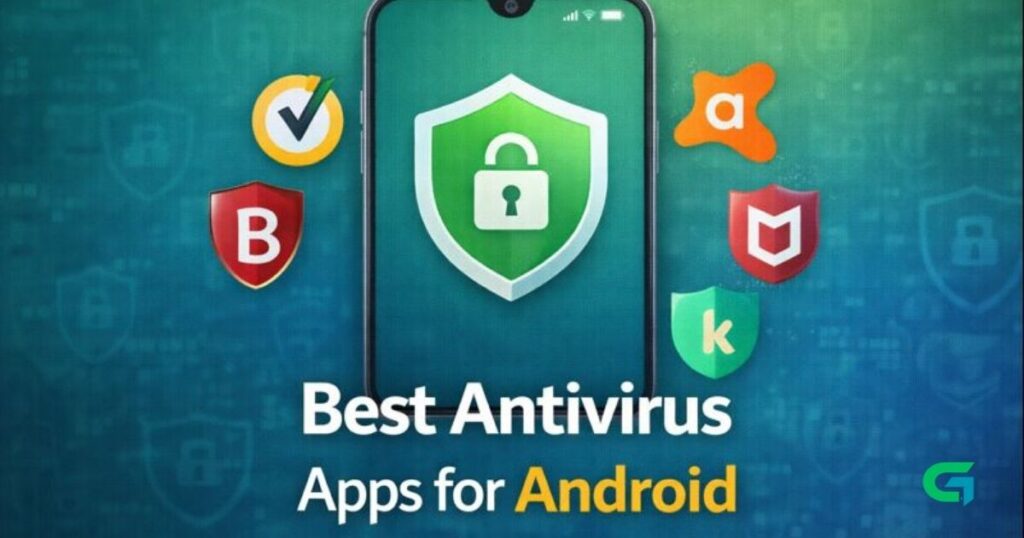
Best Antivirus Apps for Android (2026 Review)
Security is one of the most important aspects of modern Android usage. Although Android is designed with security in mind, the risk of viruses, malware, and harmful apps still exists — especially with third-party apps and sideloading.
In this review, we’ll look at the best antivirus apps for Android in 2026 — covering features, pros & cons, pricing, and why you might choose each one.
🛡️ Why You Need an Antivirus on Android
Before we dive into the apps, here’s why antivirus protection matters:
✔️ Protects against malware and spyware
✔️ Blocks malicious downloads and links
✔️ Scans installed apps for threats
✔️ Protects privacy and sensitive information
✔️ Provides lost device protection in some apps
📱 Top Antivirus Apps for Android in 2026
1️⃣ Bitdefender Mobile Security
Overview:
Bitdefender is one of the most respected names in security software. Its Android version delivers excellent protection without slowing down your device.
Key Features:
- Real-time malware scanning
- Web protection (anti-phishing)
- Anti-theft tools
- App lock
- Minimal battery impact
Pros:
✔️ Excellent detection rates
✔️ Lightweight and fast
✔️ Great web protection
Cons:
❌ Some advanced features require premium subscription
Best For: Users seeking strong all-around protection
2️⃣ Norton Mobile Security
Overview:
Norton is another veteran in the antivirus field. Its Android suite includes anti-malware, app advisor, and Wi-Fi security.
Key Features:
- App Advisor with vulnerability detection
- Wi-Fi security
- Real-time threat protection
- Privacy report
Pros:
✔️ Smart Wi-Fi protection
✔️ Intuitive interface
✔️ Excellent reputation
Cons:
❌ Higher price compared to alternatives
Best For: Users who want advanced detection and app safety monitoring
3️⃣ Avast Mobile Security
Overview:
Avast is a well-known free antivirus for Android with a solid feature set.
Key Features:
- Malware scanning
- App insights
- Call blocker
- Wi-Fi scanner
Pros:
✔️ Robust free version
✔️ Good UI
✔️ Useful extras
Cons:
❌ Ads in free version
❌ Some features limited to premium
Best For: Users who want a solid free option
4️⃣ Kaspersky Mobile Security
Overview:
Kaspersky consistently scores high on independent antivirus tests.
Key Features:
- Real-time protection
- Anti-phishing
- Web filter
- Find My Phone features
Pros:
✔️ Top malware detection
✔️ Strong privacy tools
Cons:
❌ Premium features require subscription
Best For: Security-focused users who want reliability
5️⃣ McAfee Mobile Security
Overview:
McAfee’s Android app includes antivirus scanning as well as anti-theft tools.
Key Features:
- App scanning
- Anti-theft features
- Safe web browsing
- Security lock
Pros:
✔️ Extra anti-theft capabilities
✔️ Good uninstallation protection
Cons:
❌ Slightly heavier on system resources
Best For: Users who want security + anti-theft features
📊 Comparison Table
| App | Real-Time Protection | Web Protection | Anti-Theft | Free Version | Best For |
|---|---|---|---|---|---|
| Bitdefender | ⭐⭐⭐⭐⭐ | ✅ | ❌ | Limited | Overall Protection |
| Norton | ⭐⭐⭐⭐⭐ | ⭐⭐⭐⭐ | ❌ | ❌ | Advanced Security |
| Avast | ⭐⭐⭐⭐ | ⭐⭐⭐ | ❌ | ✅ | Best Free Option |
| Kaspersky | ⭐⭐⭐⭐⭐ | ⭐⭐⭐⭐ | ❌ | ❌ | Best Detection |
| McAfee | ⭐⭐⭐⭐ | ⭐⭐⭐ | ✅ | ❌ | Security + Anti-Theft |
🧠 How to Choose the Right Antivirus
Here are some tips to pick the best app:
✔️ Performance impact: Choose apps that don’t slow down your phone
✔️ False positives: Look for proven detection rates
✔️ Extra features: VPN, anti-theft, web protection, app lock
✔️ Price: Some apps are better value for money
Read Also : Telegram vs WhatsApp: Full Comparison (2026) — Features, Privacy, Pros & Cons
🔐 Final Thoughts
Android malware threats may not be as widespread as on desktop systems, but they still exist — especially if you install apps from outside the Play Store. A good antivirus app adds an extra layer of security, protects your data, and helps you avoid malicious downloads.
Whether you want a free solution like Avast or a premium suite like Bitdefender or Norton, there’s an option for every type of user.
For more Android tips and reviews, visit GOATPG.